Post-it diagram kit
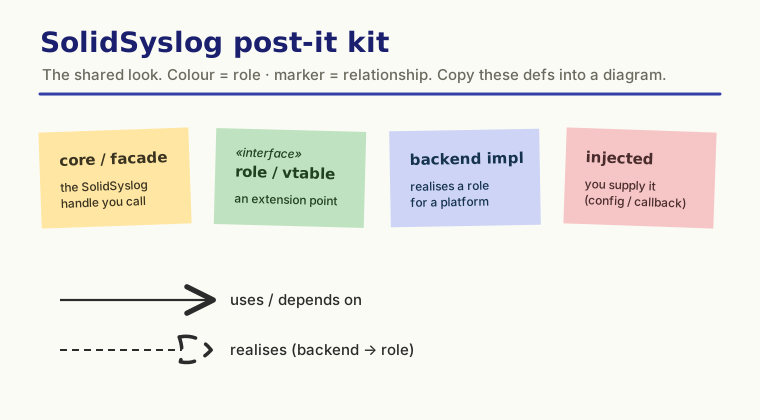
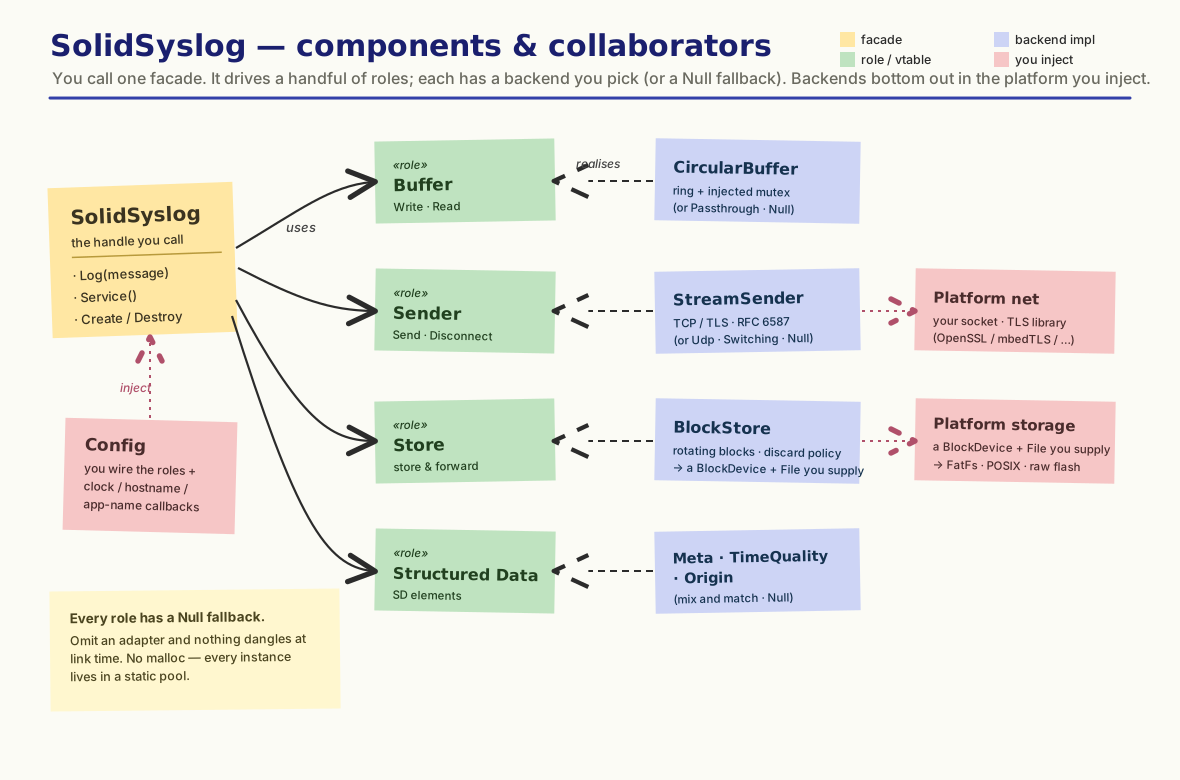
A small, hand-drawn "whiteboard sticky" style for SolidSyslog diagrams, used in the docs, the site, and articles. It keeps architecture pictures friendly and quick to read: colour tells you the kind of thing, the arrow tells you the relationship.
The vocabulary
| Colour | Means | Example |
|---|---|---|
| Yellow | Core / facade — the thing you call | SolidSyslog |
| Green | A role (a vtable / extension point) | Sender, Store, Buffer |
| Blue | A backend that realises a role | StreamSender, BlockStore |
| Pink | Something you inject | Config, a clock callback, the platform socket |
| Arrow | Means |
|---|---|
| Solid head | uses / depends on |
| Hollow head | realises (a backend realises a role's vtable) |
| Pink dashed | you inject this across the boundary |
Authoring a diagram
- Start from
architecture.svg: copy it and edit the stickies. Each sticky is a shadowed<rect>plus a rotated<g>of text; a small rotation (±2°) is what sells the hand-drawn feel. - Keep the palette and markers identical to
postit-defs.svg: that consistency is the whole point. If you want to retune the look (roughness, shadow, arrowheads), change it inpostit-defs.svgfirst, then carry it into the diagrams. - Aim for ~10–12 stickies. If it needs more, it probably wants to be two diagrams.
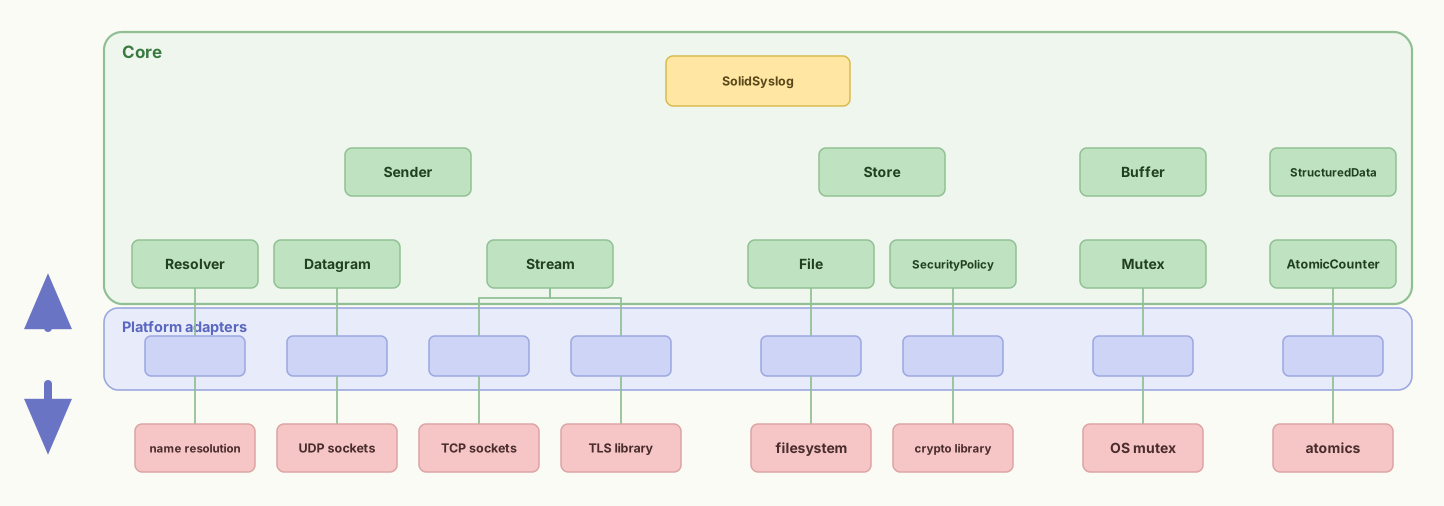
One exception: architecture-overview.svg is
generated, not hand-drawn — its layout (boundary crossings, fan-out lines)
is computed. Edit scripts/gen_architecture_overview.py
and re-run it; do not hand-edit the SVG. It keeps the same palette but drops the
sticky rotation/shadow for a precise architectural read, and colours by
provenance (Core / adapter / third party) with the boundary marking Core.
Why the defs are copied into each diagram
Published diagrams inline the shared <defs> (filters, markers) rather than
referencing postit-defs.svg. GitHub's Markdown renderer sanitises cross-file
SVG references, so a self-contained file is the only thing guaranteed to render
in the repo, the docs site, and on the web. postit-defs.svg stays the
canonical source you copy from and the one place to tune the style.
For LinkedIn or slides, export the SVG to PNG at publish time; SVG isn't accepted in LinkedIn articles.